Hardware & Creativity
Your graphics card is bored. Turn your gaming PC into a writing assistant.
Did you invest in an NVIDIA RTX for gaming? Discover why this component is actually the best digital pen on the market, and how to use it to free yourself from cloud subscriptions.
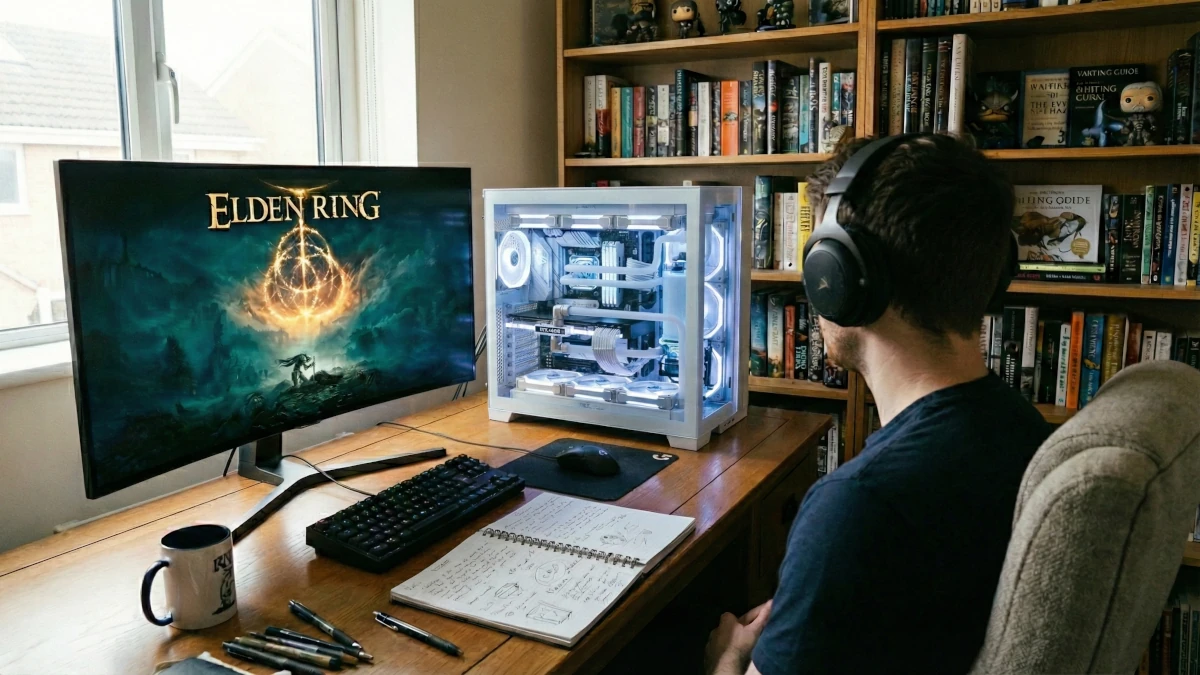
Let's be honest: if you own an NVIDIA RTX graphics card (3000, 4000, 5000 series) or a recent Mac, you have a beast of a machine under your desk. You probably bought it to explore the lands of Elden Ring or to admire the 4K Ray-Tracing in Cyberpunk.
But the rest of the time? When you're on Word, Scrivener, Notion, or WriteControl, this technological marvel is consuming electricity to... display a blinking cursor.
It is a monumental waste. Because what Big Tech (OpenAI, Google, Anthropic) doesn't shout loud enough is that your hardware is capable of running generative Artificial Intelligence. At home. Without sending a single byte of your data to California to feed private algorithms.
Why AI loves your graphics card (GPU)
To understand why your gaming PC is actually a literary workstation, you have to look under the hood of LLMs (Large Language Models).
Unlike a standard program that executes instructions one after the other (the processor or CPU's job), a generative AI works on massive probabilities. It calculates which word is most likely to appear next by multiplying gigantic matrices of numbers.
The secret of Tensor Cores
Modern NVIDIA cards have units called "Tensor Cores". They are designed specifically for AI (DLSS in video games, for example). LocalProse repurposes this power for text processing.
Where a classic processor (CPU) would process these calculations slowly, a graphics card (GPU) has thousands of small cores capable of processing all this in parallel. Result: a well-configured local AI can help you write your novel with high production speed.
The writer's "God Mode": true unlimited
The cloud has imposed an economic model based on scarcity: tokens, credits, monthly quotas. This creates an invisible mental friction. "Am I wasting my credits if I ask the AI to rewrite this paragraph 10 times?"
When you go local on your own hardware, this economy collapses.
🚀 Speed & Zero Latency
No server queue. No "ChatGPT is at capacity" or "Try again later". Generation is almost instantaneous because the path between your keyboard and the intelligence is 8 inches.
♾️ The right to waste
It's your electricity. Test 5, 50... 500 variations of a sentence. Ask for a full analysis of your first book just to see. Creativity requires abundance, not rationing.
The advantage of allocating your graphics card's power to AI is that you completely free yourself from the internet. Your manuscripts stay with you. Discover why choosing cloud-free writing software has become essential to protect your copyrights.
Do you have the required hardware?
No need for a NASA supercomputer. Here is an overview of the hardware profiles that can transform your computer into a fluid writing assistant. To go further and discover the specific models we recommend, feel free to check out our complete hardware buying guide for writers.
🥇 The King: NVIDIA RTX PC
RTX 3060, 4060 or higher.
Video memory (VRAM) is key. With 8GB or more, you run intelligent models at lightning speed.
See the best RTX Laptops
⚡ The underdog: Apple Silicon
Mac M1, M2, M3, M4, M5.
Thanks to "Unified Memory", Macs are formidable and completely silent. A MacBook Air M1/M2 with 16GB of RAM can run LocalProse very smoothly.
See the recommended Macs for writing
🥉 The brave: CPU & RAM
No dedicated graphics card?
If you have at least 16GB of RAM and a recent processor (AMD Ryzen or Intel Core), the AI will work. It will be less instantaneous, but perfectly usable for
structural analysis.
How to transform your PC (Express tutorial)
Forget Python command lines, Docker installations, or complex configurations. LocalProse's goal is to make this technology accessible to authors, not engineers.
- Download LocalProse: it's a simple executable (.exe, .dmg, or .AppImage)
- Automatic initialization: on the first launch, the software downloads the smallest configured AI model to ensure your experience is as smooth as possible. The software is immediately functional for writing.
- Choose your brain: in the settings, choose a recommended model (around 4 to 8 GB) based on your PC or Mac configuration. Relaunch the application and the desired model will be downloaded instead of the default model. This allows you to adjust the performance of the LocalProse AI engine according to your machine's power.
You also have the option to import your own .gguf and .bin models right from the first launch (and whenever you want later in the settings) without any internet connection for a 100% offline experience.
Put your setup to the test right now
Your gaming PC was expensive. Don't let it sleep while you write.
Turn it into a private creative partner.