Complete buying guide
What equipment to write a book in 2026?
For decades, any computer with a word processor was enough to write a novel. Today, demands have evolved. Discover how to choose the perfect hardware for your daily writing comfort, and why your next machine must be capable of running an AI assistant locally, in complete privacy.
The 4 golden rules of a good writer's computer
Before even talking about raw power or artificial intelligence, an author spends an average of 500 to 1000 hours in front of their screen to finalize a manuscript. Here are the non-negotiable criteria:
1. Keyboard ergonomics
Forget "butterfly" or overly flat keyboards. A writer needs typing with good "travel" (the depth of the key) and clear tactile feedback to avoid fatigue and carpal tunnel syndrome.
Discover how to choose the ideal keyboard →
2. Visual comfort (the monitor)
Avoid glossy monitors that act like mirrors. Opt for a matte panel with an integrated anti-blue light filter and a total absence of flickering (Flicker-Free).
See our selection of eye-care monitors →
3. Silence and battery life
Inspiration requires concentration. Modern fanless machines or those with controlled cooling are preferred. As for the battery, aim for a real minimum of 10 hours so you can write in a park or a train without anxiety.
4. The format: laptop, desktop or tablet?
The tablet remains a backup tool. The laptop (13 or 14 inches) is the undisputed king of nomadism. However, the desktop or Mini-PC offers the best ergonomic comfort and an unbeatable power-to-price ratio for 100% sedentary authors.
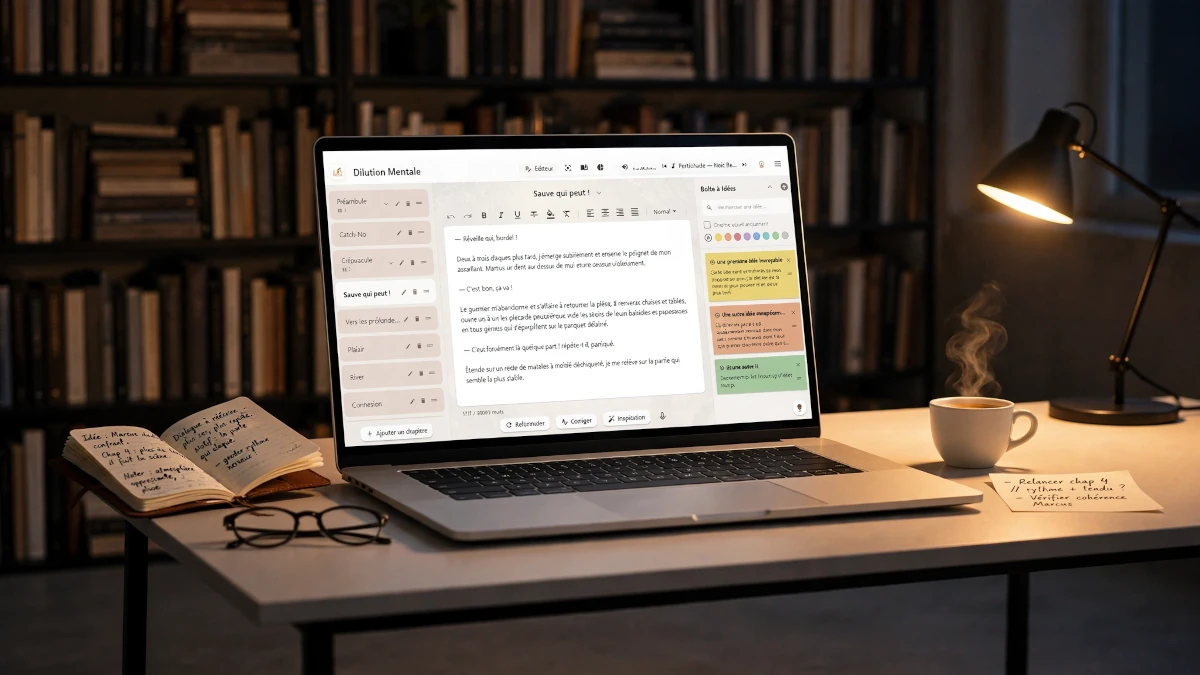
The 2026 revolution: why your computer must handle local AI
While a simple screen and keyboard are enough to type words, modern writing now integrates intelligent assistants for brainstorming, proofreading, or narrative analysis.
You should never entrust your manuscripts to cloud servers. The only sovereign solution is to run generative AIs (like Llama, Mistral, or Gemma) directly on your machine. For this, not to mention the importance of a good local backup, you must understand two key concepts:
VRAM (Video Memory)
This is the sinews of war on Windows PCs. Language models run in the graphics card's memory. The more you have (8GB, 12GB, 16GB+), the more the AI can deploy its intelligence, be fast, and capable of processing long texts.
Unified RAM
An Apple specificity: Macs (M1 to M5 chips) share their memory between the system and video. A Mac with 16GB or 24GB of unified RAM is a formidable workstation for local AI.
What is the minimum required to run the AI?
Before exploring our detailed guides by ecosystem, here is an overview of the basic configurations to use a local AI writing assistant without slowing down your machine.
| Component | Bare minimum (slow but functional) | Recommended (optimal comfort) |
|---|---|---|
| Memory (RAM) | 8 GB (for very light AI models) | 16 GB or 32 GB (ideal for writing) |
| Processor (CPU / GPU) | Processor (CPU) less than 5 years old | NVIDIA RTX Card or Apple Silicon chip (M1 to M5) |
| Storage | Classic Hard Drive (HDD) 500 GB | NVMe SSD (ultra-fast model loading) |
Our immediate recommendations for authors
Don't have time to compare? Here are our two benchmark choices for writing comfortably while enjoying the power of a local AI with LocalProse.
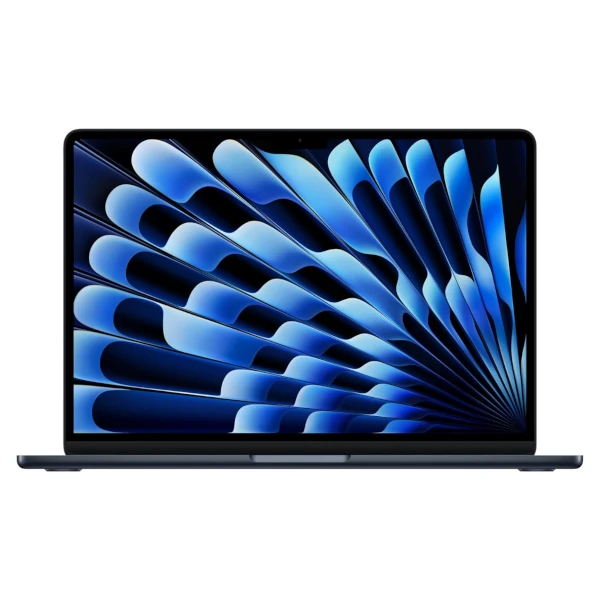
MacBook Air M5 (16 GB)
Perfection for writers on the move. Zero noise (no fan), an exceptional keyboard, and 16GB of unified memory to run the AI flawlessly.
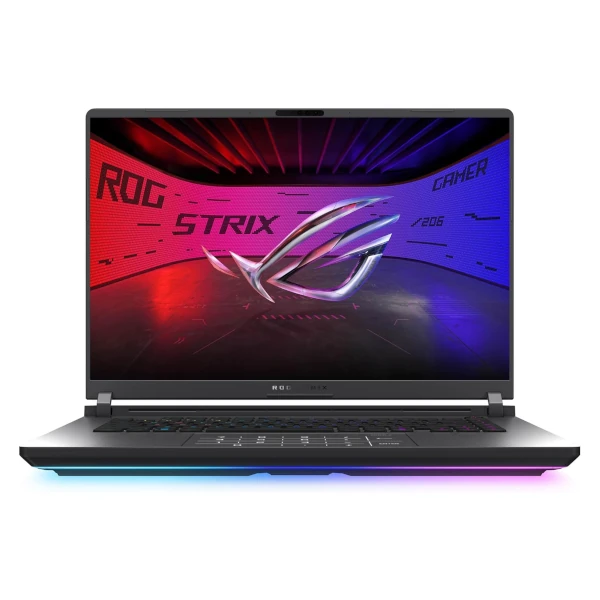
ASUS ROG Strix G16 (RTX 5070 Ti)
An elite workstation featuring a 16:10 2.5K Nebula display for razor-sharp text clarity. With 32GB of DDR5 RAM and an RTX 5070 Ti, it effortlessly hosts the LocalProse Gemma 3 12b model, while its advanced vapor chamber cooling ensures quiet operation during your writing sessions.
Building your sovereign writing workshop requires choosing the right tools. Discover our detailed guides to setting up the perfect space, from choosing the computer to the peripherals that preserve your physical and digital health.
The Apple ecosystem (MacBook)
Thanks to their unified memory, Apple's M-Series chips are silent monsters for local AI. A suitable choice for nomadism.
See the best Macs for writingWindows RTX Laptops
Repurpose the power of NVIDIA RTX cards for your writing. Ideal for those who demand a versatile machine (creation, gaming, multimedia).
See the best laptopsDesktop PCs & Mini-PCs
Raw power, silence, and affordable VRAM. The perfect choice for sedentary authors who want to host large AI models at home.
Set up your workstationKeyboards for writers
Magnetic, chiclet, or ergonomic. Protect your hands from carpal tunnel syndrome with a tool adapted to long typing sessions.
Choose the best keyboardEye-care monitors
Matte panels, vertical format, and e-ink technologies. Flee migraines and preserve your visual comfort for endless proofreading.
Find a monitor for writingCloud-free backup
3-2-1 rule, rugged SSDs, and Mini-NAS. Discover how to secure your manuscripts offline without ever sending your data to the cloud.
Secure your texts locallyAlready have the ideal machine?
If you already own a recent Mac or a PC with a good graphics card, your workshop is ready. Don't let this computing power sleep. Transform your computer into a 100% private creative brainstorming partner.