Ergonomics & author's health
The best keyboard for writers: mechanical, ergonomic, or chiclet?
A novel's first draft averages 100,000 words, which is over 600,000 keystrokes. Carpal tunnel syndrome and tendonitis are the silent occupational diseases of authors. Discover how to choose the perfect tool to protect your hands.
Quick summary of our top picks (2026)
| Model | Type | Best for... | Availability |
|---|---|---|---|
| 🏆 Keychron K3 (V2) | Mechanical (Low-profile) | Tactile mechanical speed without the thick, bulky chassis. | Check Price → |
| 🤫 Logitech MX Keys Mini | Chiclet (Minimalist) | Absolute silence and perfect shoulder alignment. | Check Price → |
| ⚕️ Perixx PERIBOARD-512 | Ergonomic (Split) | Real split-key design to fix ulnar deviation and wrist pain. | Check Price → |
🎯 NaNoWriMo 2026 Goal
Typing 50,000 words in 30 days is a real physical challenge. Don't start the November 1-30, 2026 challenge with an unsuitable laptop keyboard or you risk triggering severe tendinitis halfway through. Take advantage of Preptober to gear up properly.
Read the survival guide to win NaNoWriMo 2026 →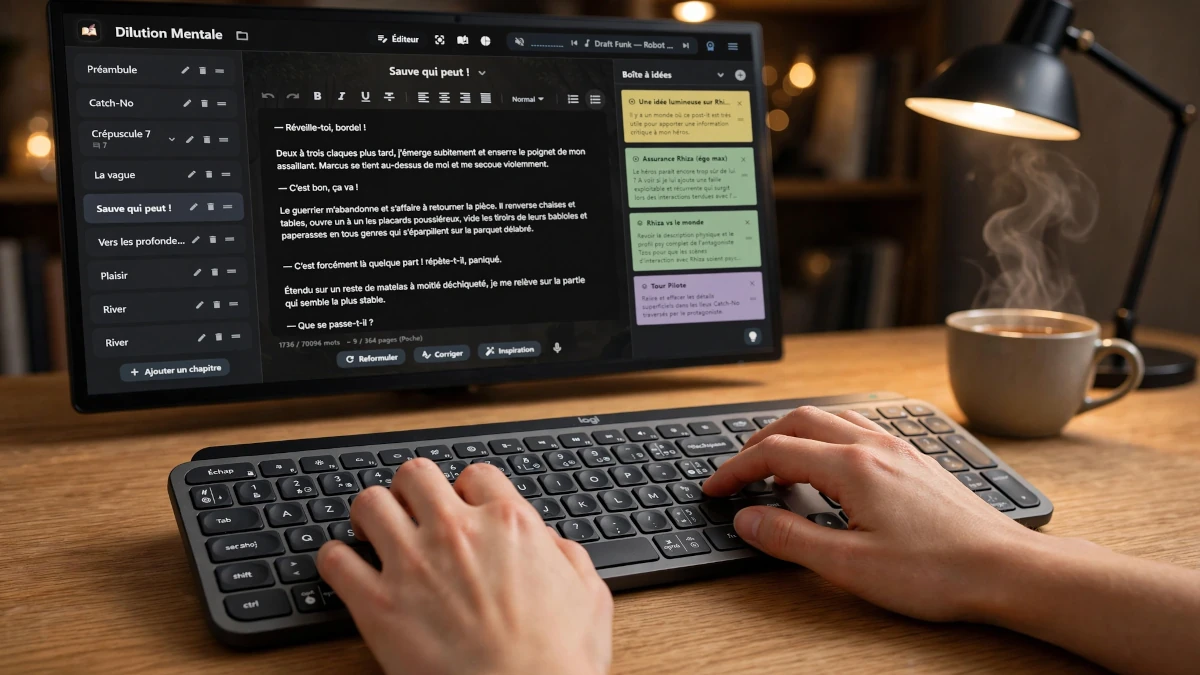
The word artisan's main tool
Whether you work with a nomadic MacBook or a gaming laptop elevated on a stand, or from your desk on a Mini-PC type workstation, the peripheral keyboard is vital.
There are three main technological families of keyboards, each responding to a different morphology and typing style:
1. Mechanical (tactile)
The literary community's favorite. Each key has its own mechanism. It offers "force feedback" (tactile) that confirms the letter is typed without needing to press the key all the way down.
2. Chiclet (low profile)
This is the laptop keyboard style. The travel distance is very short. Ideal for those who write by lightly touching the keys, requiring minimal finger elevation effort.
3. Ergonomic (split)
Its domed or split shape forces your wrists into a neutral posture, preventing forearm twisting. Essential for those who are already experiencing pain.
The writer's secret: avoiding "bottom-out"
In ergonomics, the main cause of joint pain when typing is called bottom-out (typing to the bottom). When you press a key so hard that the plastic clacks against the keyboard base, the shock wave travels directly into your knuckles. Multiply this micro-trauma by 600,000 keystrokes (the average size of a first draft) and the risk of tendonitis increases.
To protect their hands, the writer must choose a technology adapted to their typing style. Here is how high-end keyboards eliminate this problem:
- Magnetic technology (hall effect): Instead of a physical mechanism, a magnet detects pressure. You can adjust the keyboard so that it registers the letter at the slightest touch (e.g., 1 mm depression). You never need to hit the key to the bottom again.
- Low profile (chiclet): By drastically reducing the key depth (travel distance), the finger elevation effort becomes almost nil. Your hands glide lightly over the keyboard rather than hammering it.
- Ergonomic alignment: By splitting the keyboard into two angled blocks, your wrists stay in the natural alignment of your forearms. Your tendons are no longer in permanent torsion, allowing your hands to naturally absorb the typing shock.
Our top 3 keyboards for long typing sessions
We have selected three market references, each dominating its respective category with their build quality and typing comfort.
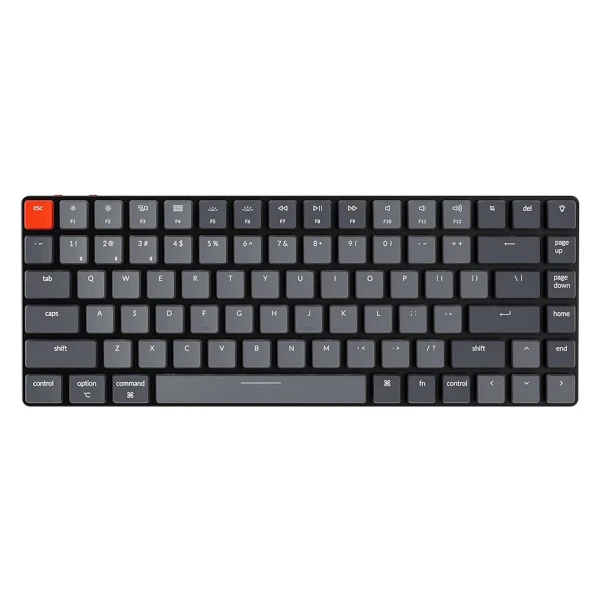
Keychron K3 (Version 2)
- Type: Wireless/Wired mechanical (75% layout, Low-Profile Optical Red switches)
- The technical secret: It combines tactile mechanical typing with a low-profile chassis. Because the keyboard is extremely thin, your wrists remain flat on the desk without needing a bulky wrist rest, naturally reducing strain.
- The LocalProse perk: The hot-swappable Optical Red switches offer a smooth, linear keystroke with zero resistance, perfect for rapid-fire drafting. It seamlessly connects to both Mac and Windows setups (up to 3 devices via Bluetooth 5.1), making it the ultimate versatile tool for writers who want mechanical speed without the ergonomic drawbacks of thick keyboards.
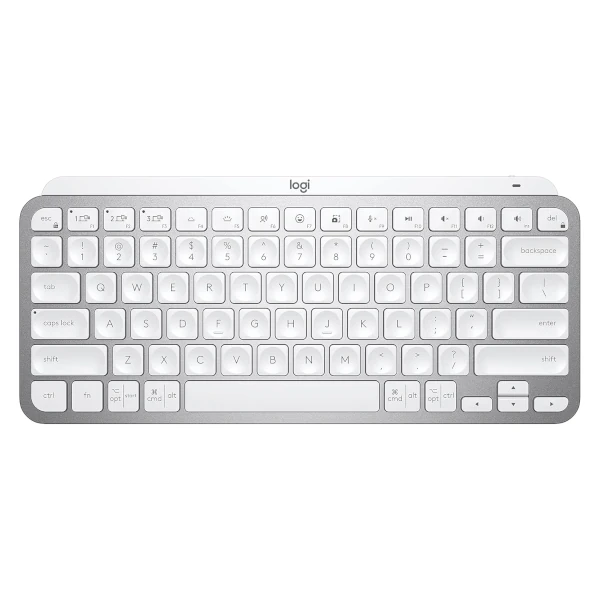
Logitech MX Keys Mini
- Type: Low-profile membrane (minimalist laptop style)
- The technical secret: "Perfect Stroke" technology features keys that are spherically dished to match the shape of your fingertips. This subtle concave design guides your fingers to the center of the key, drastically reducing typos.
- The LocalProse perk: It takes everything that makes the classic MX Keys great and shrinks it into a minimalist footprint. This allows you to bring your mouse closer, opening up your chest and improving shoulder alignment. It is whisper-quiet and features smart illumination, making it perfect for late-night writing sessions or busy coffee shops.
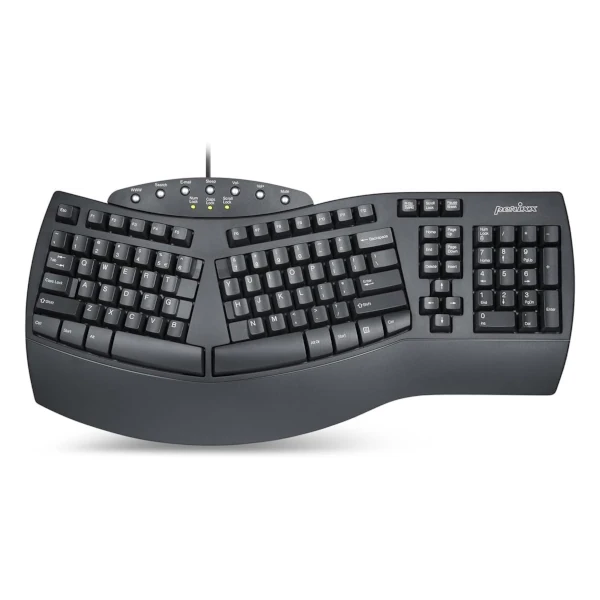
Perixx PERIBOARD-512
- Type: Wired ergonomic (3D split-key design with wrist rest)
- The technical secret: The one-piece split layout separates the keys into left and right zones, while the curved, stepped rows force your hands, wrists, and forearms into a completely neutral position, preventing ulnar deviation.
- The LocalProse perk: A highly accessible entry into true split ergonomics. While it uses membrane switches, they feature a long 4.2 mm travel distance that provides a tactile feedback surprisingly similar to brown mechanical switches. Once you overcome the 1-2 week learning curve, this keyboard will drastically reduce carpal tunnel pressure during long writing marathons.
🖥️ Complete your desk's ergonomics
Preserving your wrists is only one step. To maintain concentration during long writing sessions, visual comfort is just as crucial.
Discover our selection of anti-fatigue screens
for writers →
Finally, high-performance equipment is useless if you lose your manuscript. Make sure you have a solid backup strategy.
How to back up your manuscript sovereignly (without the
cloud) →
Your fingers create, your machine handles the rest
Combine typing comfort with software that respects your art. Install LocalProse and run your sovereign writing assistant locally, without ever handing over your copyrights to online services.